
How do I strike through the lines that were shot?
Open the day in Sides, turn on Drawing mode, pick a pen and drag across the text that was shot; the strip’s status follows the strikes by itself.
Steps
-
In the bar above the day’s pages, turn on Drawing mode. Clicking a pen or Eraser turns it on too.
-
Pick a colour under Pens. There are 5 ready-made colours, and the + button adds one of your own. You can have up to 8 pens; once that’s full, + becomes Replace and changes the selected pen’s colour.

-
Drag your mouse across the text that was shot. A click never strikes anything. The strike snaps to whole words and one drag can run over several lines. It’s saved when you let go.
-
If you struck the wrong thing, choose Eraser and drag over the strike you want gone. You can also take back the last step with Undo.
-
When you’re done, turn Drawing mode off. The text can be selected again.
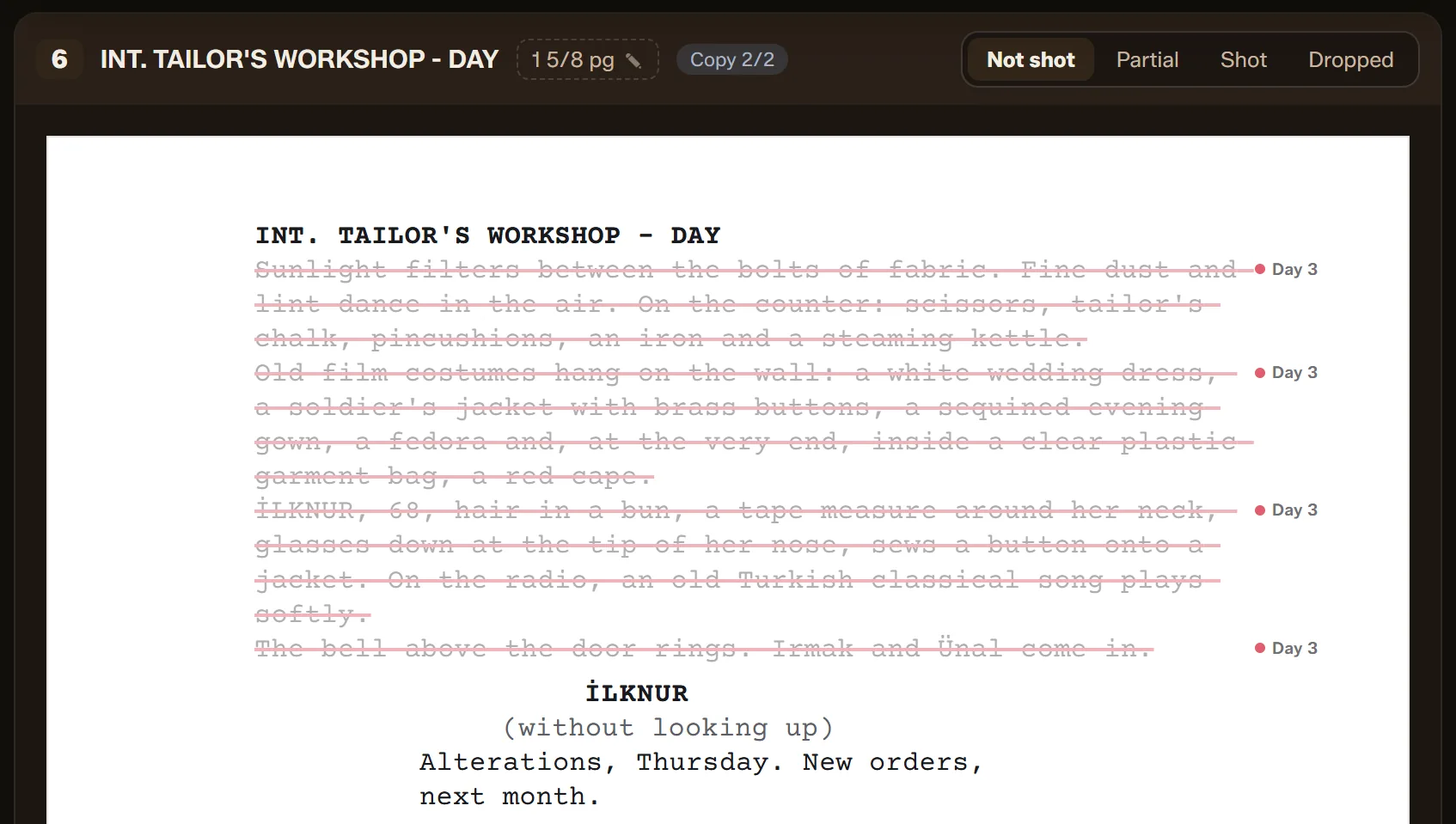
The status follows the strikes
- After every strike the strip’s status is worked out again: all of the text struck makes it Shot, some of it Partial, and no strikes left Not shot. Scene headings and transitions don’t count.
- A Dropped strip doesn’t change with strikes.
- A Partial strip’s page count also shows what’s left. To move the rest to another day: How do I move the rest of a part-shot scene to another day?
- The Not shot button removes every strike on that strip. It first tells you how many will go, and Undo brings them back.
Good to know
- Strikes belong to the scene. Strikes made on the scene’s other strips, or on other days, show faded, with the day they were made written in the right margin.
- The eraser only clears what you drag over, whichever day it was struck on.
- Shortcuts: Ctrl+Z for Undo, Ctrl+Shift+Z for Redo (Cmd on a Mac). While the day’s page is open you can undo the last 50 steps. Press Esc mid-drag to drop that strike.
- On a tablet, strike with one finger and scroll with two. A stylus strikes directly.
- If two people strike the same scene, both sets of strikes stay.
- Your pen colours are kept in this browser. Each strike keeps its own colour, so changing a pen leaves older strikes as they are.
If it doesn’t work
- I can’t see the drawing toolbar.
- On a project shared with you, your Shot Tracking permission may be View. Ask the owner for Edit. The toolbar also stays hidden when none of the day’s scenes has script text.
- I drag across the text but nothing gets struck.
- Check that Drawing mode is on; while it’s off, dragging selects text. On a tablet one finger strikes and two fingers scroll. A strike that couldn’t be saved is taken off the page, so strike it again. The screen then says Could not save the strike.
- A strip says some strikes weren’t found in the new version.
- When a new version of the script comes in, strikes are moved onto the new text. A strike on text that changed can’t always be placed; it isn’t deleted, but it isn’t shown or counted either. If that part was shot, strike it again.