
How do I move the rest of a part-shot scene to another day?
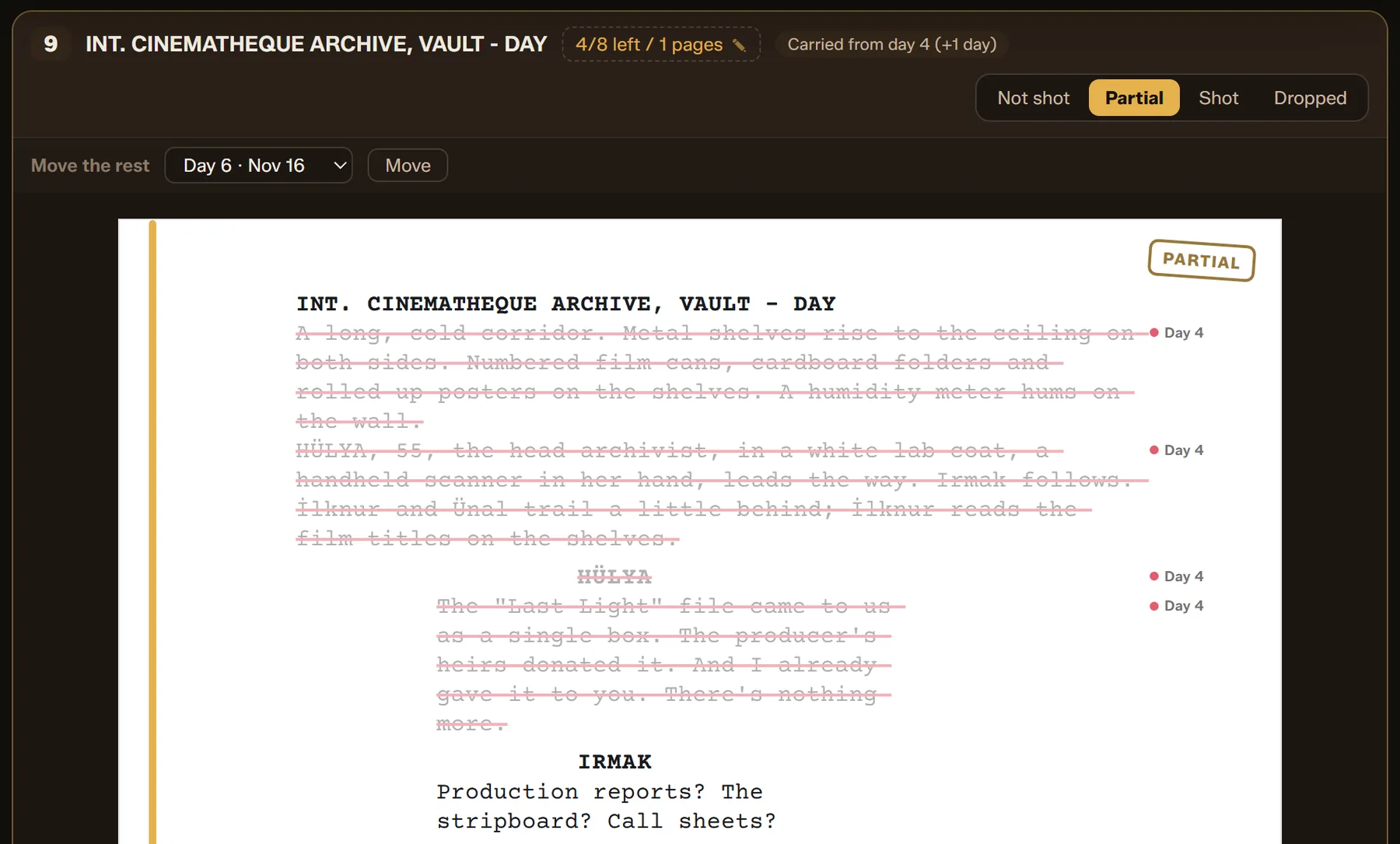
On a Partial strip, pick a day in the Move the rest row under its bar and click Move; the strip moves to the end of that day with its strikes.
Steps
-
In Sides, open the day the strip is on.
-
Find the Move the rest row just under the bar of the Partial strip.
-
Pick the day to move it to from the list next to it. The next day is selected for you. If you’re on the last day, the list says Choose a day and you pick the day yourself.

-
Click Move. The strip leaves this day and the screen tells you which day it went to.
What happens when you move it
- The strip itself moves; it isn’t split. It stays Partial and keeps its strikes. On the Stripboard it shows at the end of the new day.
- Move it to today or a day ahead, and what’s left of the strip is added to that day’s planned pages. The strip’s bar shows how much is left, which day it was carried from and how many days it slipped.
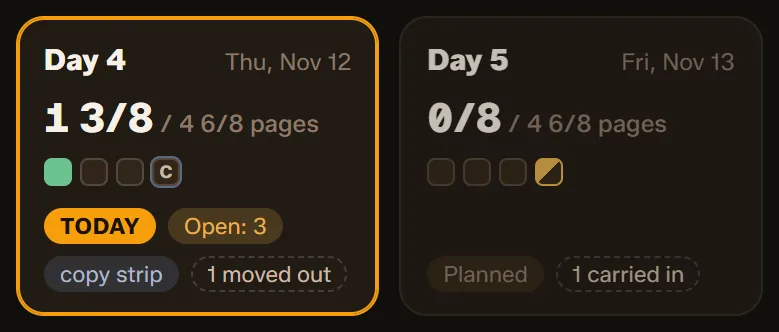
- Moving it off a day that has already started leaves that day’s plan as it was, so the slip stays visible in the schedule variance. On the overview, the old day’s tile shows how many scenes moved out and the new day’s tile how many were carried in.
- Undo doesn’t take back a move. If you sent it to the wrong day, open the strip on that day and use Move the rest again. Dragging the strip back to its old day on the Stripboard also clears the carried-from label.
If it doesn’t work
- I can’t see the Move the rest row.
- The row only shows on a Partial strip, and only to someone who can edit. It’s also missing when the schedule has no other day to move to.
- The schedule is locked: moving changes the plan.
- The shooting schedule is locked on the Stripboard. Unlock it from the Stripboard toolbar, or ask someone who can edit the Stripboard to do it, then try again.
- The Move button stays greyed out.
- Strikes or a status are being saved at that moment; the button comes back once that’s done. If the list says Choose a day, pick a day first.