
How do I create a budget?
Open the Budgeting tab in the top menu and click Create budget (from breakdown); the accounts open with quantities taken from your breakdown and schedule, and you fill in the rates.
Steps
-
Click the Budgeting tab in the top menu.
-
If the project has no budget yet, the middle of the screen says
No budget yet in this project.
. Click Create budget (from breakdown).
-
Your browser asks a question. OK opens a detailed budget with VAT, SGK and withholding worked out; Cancel opens a simple budget with amounts only. You can change this later: How does the detailed budget work?
-
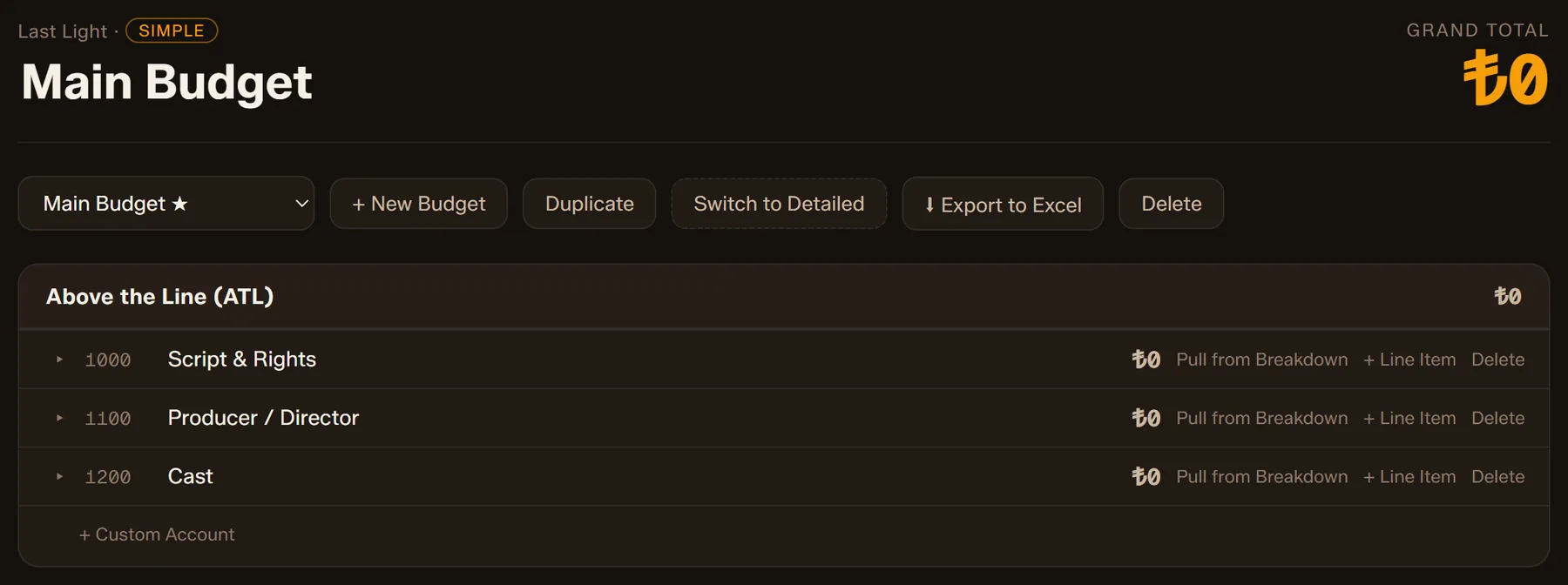
The budget opens. Accounts are listed under each section, and every account has one line item with its quantity from the breakdown. Rates are empty; you fill them in: How do I edit budget line items?
-
The first budget is called Main Budget. To rename it, click the name at the top, type the new one and press Enter.
The Contingency row at the bottom adds a percentage on top of all the accounts. A new budget starts at 10%; change it in the box on the same row.
Where the quantities come from
| Account | Starting quantity |
|---|---|
| Script & Rights, Producer / Director, Editorial & Post | A single item per project |
| Cast | The number of Cast elements in the breakdown, each character counted once |
| Production Crew, Camera, Lighting & Grip, Sound | The number of shoot days |
| Locations | The number of different shooting locations you entered for scenes in the schedule; if there are none, the Locations elements in the breakdown |
| Extras, Art / Set, Props, Wardrobe / Makeup & Hair, Vehicles & Transport, SFX / VFX / Stunts | The number of elements in the matching breakdown categories |
The number of shoot days is the day count of the schedule you created most recently. Without a schedule, it’s estimated from the Duration you entered for scenes on the stripboard, counting a day as 10 hours. Without durations either, it assumes 5 pages a day.
If the breakdown or the schedule changes later, the budget doesn’t update by itself. Refresh the accounts that count elements with Pull from Breakdown, and correct the other quantities by hand.
More than one budget
- + New Budget opens a new budget built fresh from the breakdown. The question comes up again.
- Duplicate copies the open budget with all its accounts and line items, and adds (copy) to its name. Use it to try out a different scenario.
- Switch between budgets with the list in the toolbar. The first budget has a ★ next to it.
- Delete deletes the open budget. You’re asked to confirm first, and a deleted budget can’t be brought back.
If it doesn’t work
- There’s no Budgeting tab in the top menu.
- If the project is shared with you, the owner may not have given you access to Budget. Ask them for at least View, or Edit to create and change budgets.
- The quantities in the accounts came in as zero.
- Quantities are taken from the breakdown and the schedule at the moment you create the budget. If the breakdown was empty then, they come in as zero and don’t update by themselves later. Once the breakdown is done, open a fresh budget with + New Budget, or type the quantities in yourself.
- There’s no Create budget (from breakdown) button.
- The project is shared with you and you can only view the budget. With that access you can read it but not create or change it, so the buttons don’t show. Ask the project owner for Edit on Budget.