
What are the breakdown categories?
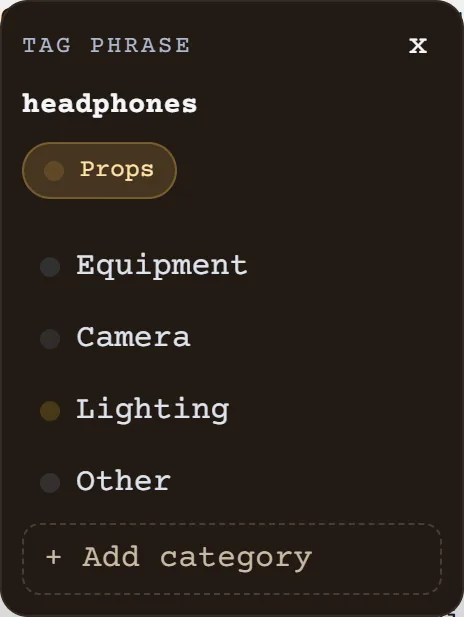
Dekupa comes with 21 breakdown categories; if they aren’t enough, add your own to the project with + Add category in the tag menu in the script.
Built-in categories
- People: Cast, Cast Info, Extras, Stunts
- Places: Set, Location Details, Locations
- Objects and animals: Props, Set Dressing, Vehicles, Animals
- Looks: Wardrobe, Makeup & Hair
- Effects and sound: VFX, SFX, Sound, Music
- Technical: Equipment, Camera, Lighting
- Other: anything that fits none of these but matters to the production.
The ones that are easy to mix up:
- Extras: background people with no name and no lines. Someone who speaks is Cast.
- Cast Info: not the character but facts about them, like age or job.
- Set is the place in the scene heading. Location Details is a detail of that place you need to plan for, and Locations is a real geographic place.
Who fills which
- While the script is read, the app pulls some Cast, Set, Props and Vehicles tags out by itself: cast from character lines, the set from the scene heading.
- The AI breakdown can fill every built-in category except Cast Info. It writes details like a character’s age or job into the scene note of that character’s cast tag.
- Categories you create are filled only by you.
- You can tag any category by hand: How do I add a tag by hand?
Adding your own category
-
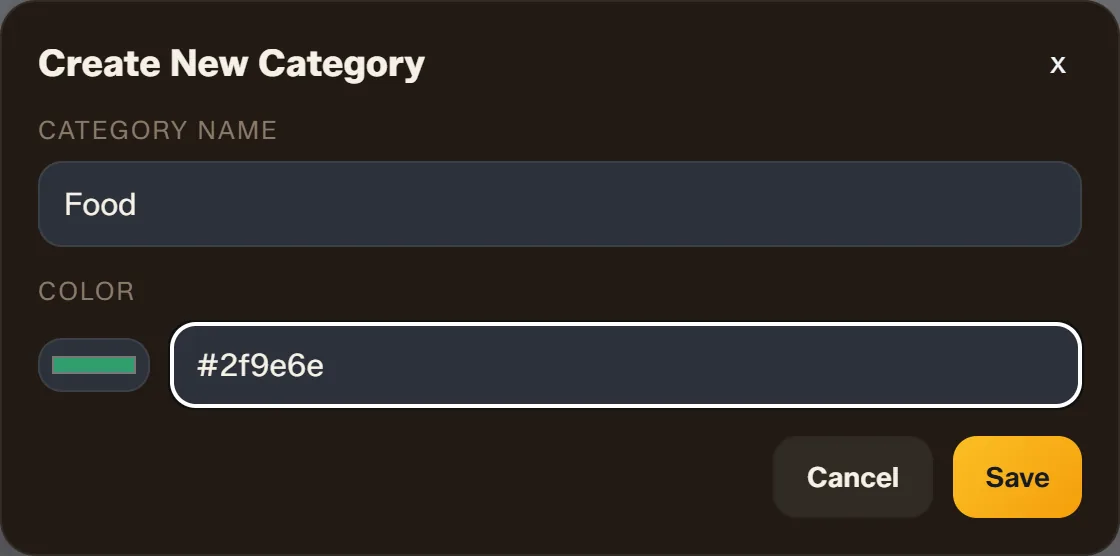
Select a phrase in the script. Click + Add category at the bottom of the menu that opens. Create New Category at the end of the + Add category menu in the left panel opens the same window.
-
Type a name in Category Name and pick a Color.
-
Click Save. The new category appears in the list; click it to tag. If the menu closed, select the text again.
Your category exists only in this project. It’s marked in the script in the colour you picked, and shows up under its own name in reports and Excel exports.
Editing or deleting one
- In the tag menu in the script, the row of your own category has pencil and bin icons. Use the pencil to change its name or colour; its tags stay where they are.
- If you delete it, its tags move to Other.
- The built-in categories can’t be renamed or deleted.
If it doesn’t work
- The AI didn’t fill the category I created.
- The AI breakdown only works with the built-in categories. You add tags to your own categories by hand.
- + Add category is greyed out, or the category isn’t created.
- On a project shared with you, creating a category needs Tag Creation. Ask the owner for it.
- I deleted a category. Where did its tags go?
- They moved to Other. Open a tag to change its category; the change applies to every scene the element appears in.