
How do I export reports?
In the top menu, open Breakdown or Reports under Script, then click Export to Excel or Export to PDF; exporting spends no credits.
Scene breakdown
-
Hover over Script in the top menu and open Breakdown.
-
Choose the order under Sort: Script order, By location or By schedule (shoot day). If you sort by schedule, also pick the schedule under Schedule.

-
Click Export to Excel or Export to PDF. The file downloads.
Category report
-
Hover over Script in the top menu and open Reports. Every element is listed by category.
-
Click a column header to sort the list. The file downloads in the same order.
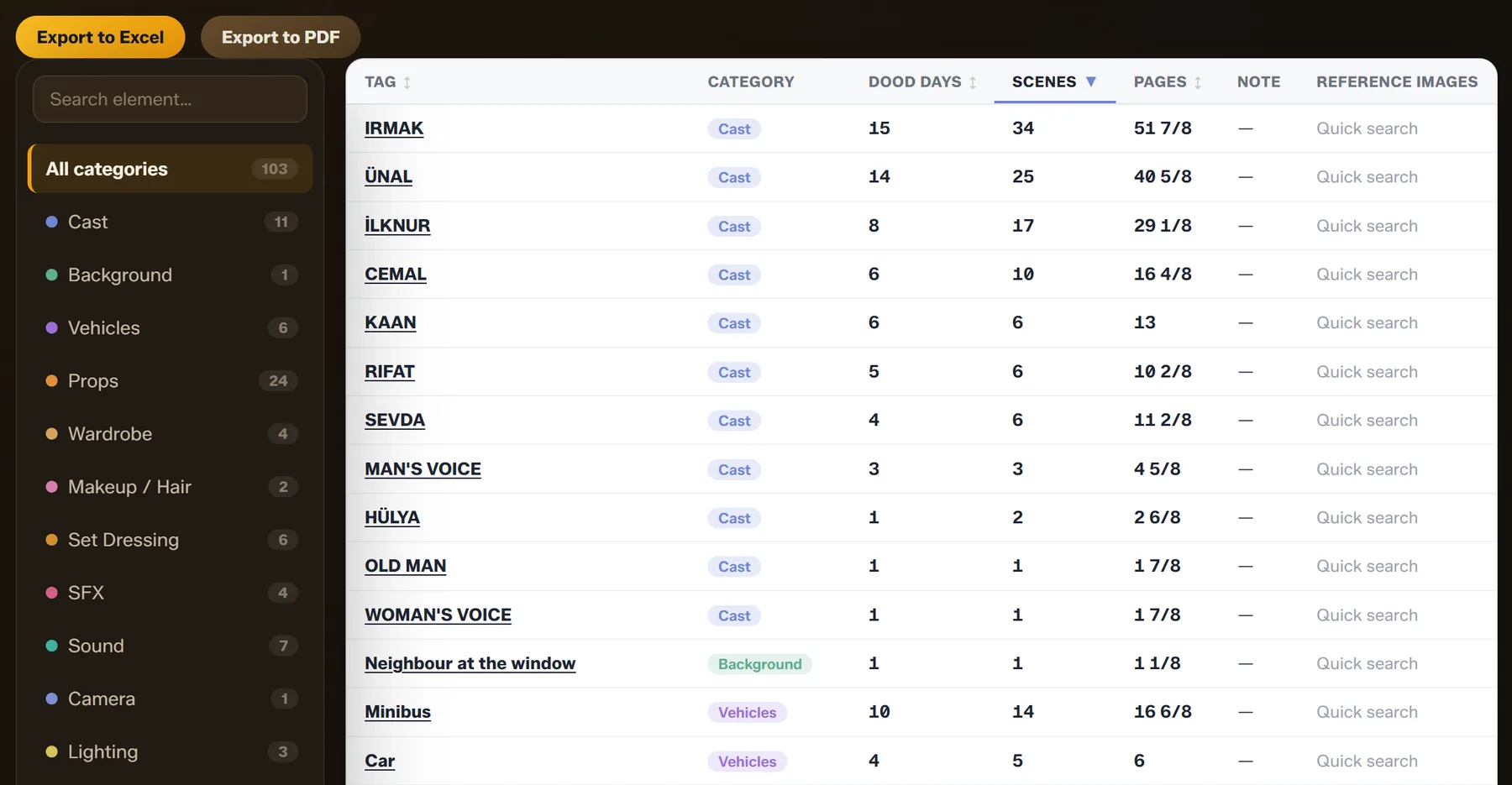
-
Click Export to Excel or Export to PDF.
Selected scenes and columns
-
Find the Exports box on the right of the Breakdown screen.
-
Choose the report type from the Report list.
-
To export only some scenes, click Select scenes for export, tick them in the list on the left, then click Done selecting.
-
On the Fields row, click Show. Choose the columns and drag to reorder them.
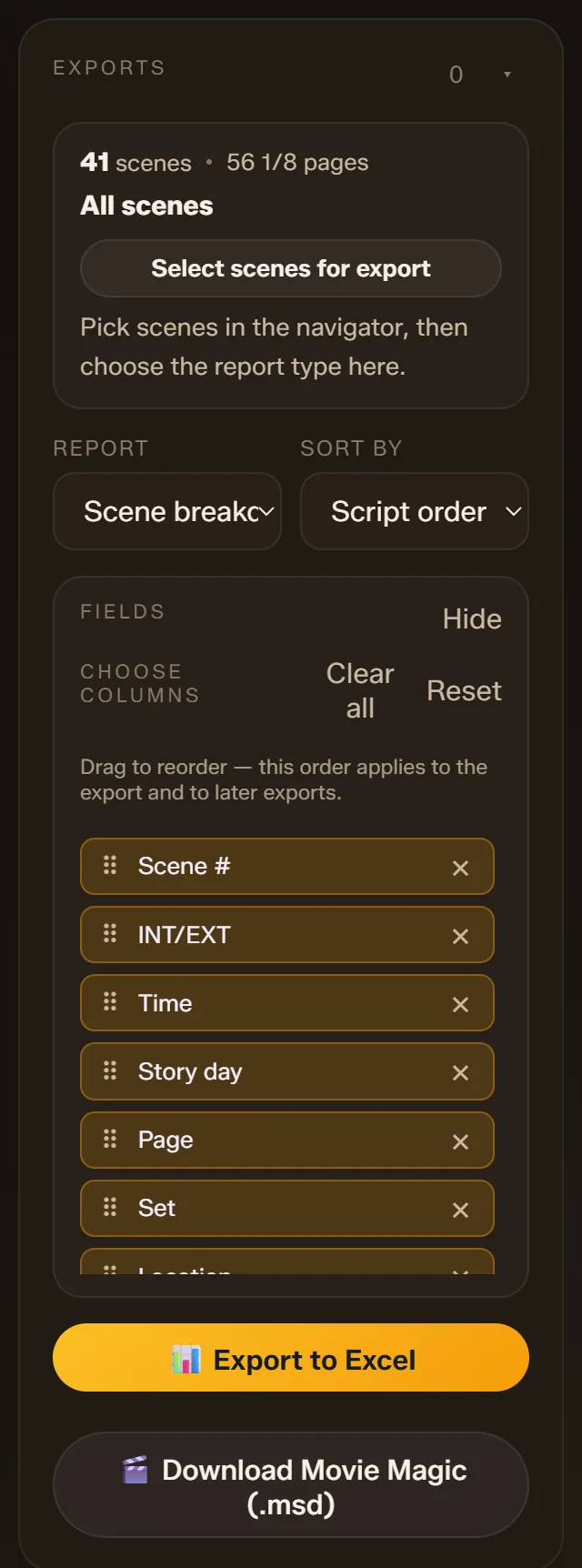
-
Click Export to Excel.
The file name carries the project name, dekupa and the date.
If it doesn’t work
- The export button is greyed out.
- The button stays off while the breakdown is empty, or if you sorted By schedule (shoot day) without choosing a schedule. If the project is shared with you as read-only, the owner does the export.
- The schedule list is empty when I sort by schedule.
- Create a plan in the Scheduling tab first. The list fills from that plan.
- Export is still processing. Try again in a moment.
- Preparing the file took longer than usual. Wait a little and click the button again.