
What are credits, and when are they spent?
Credits are spent only on AI breakdown and AI synopses: the AI breakdown costs 3 credits per page, at least 1 per scene, and a synopsis costs 1 credit per scene.
What costs what
| Task | Credits |
|---|---|
| AI breakdown | 3 per page, at least 1 per scene |
| AI synopsis | 1 per scene |
| Uploading a script | None |
| Manual tagging | None |
| Scheduling, Call Sheets, Budgeting | None |
| Reports and exports | None |
For example: a two-page scene costs 6 credits. A one-eighth page scene costs 1 credit, the minimum. The total is rounded up once.
The cost uses the script’s measured page length. Changing a scene’s page length by hand doesn’t change the cost.
Where to see your balance
-
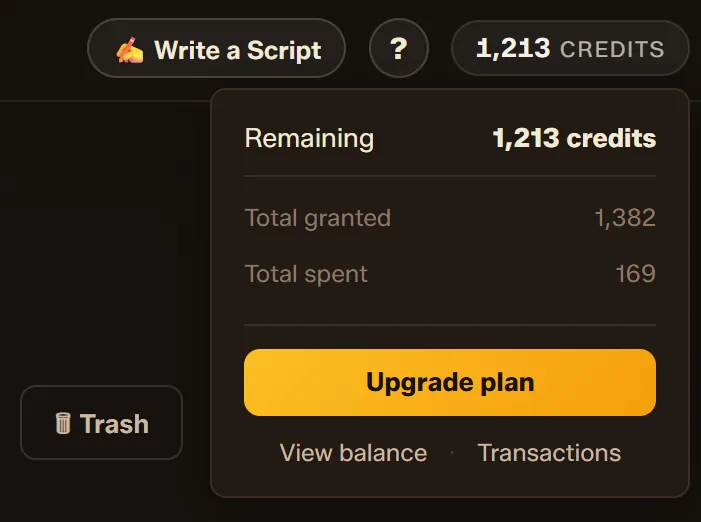
Click the credit badge on the right of the top bar. You see Remaining, Total granted and Total spent.
-
View balance opens the credits added to your account, and Transactions opens what each task spent.
Seeing the cost before you start
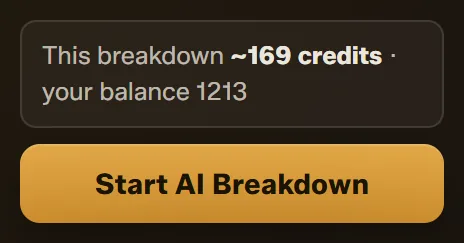
If you created the project with Manual Breakdown, the card in the left panel shows this breakdown’s cost and your balance above the Start AI Breakdown button. In a project created with AI Breakdown, the breakdown starts by itself once the scenes are ready, so choose Manual Breakdown if you want to see the cost first.
If it doesn’t work
- What happens when I run out of credits?
- AI breakdown and synopses stop. Your script, manual breakdown, scheduling and reports keep working. Use the Request more credits button on the card, or write to hello@dekupa.com.
- The breakdown stopped halfway when my credits ran out.
- The tags generated up to that point are saved. Once credits are added, use Retry for the remaining scenes to process the rest.
- Whose credits are spent when a crew member starts a breakdown?
- The project owner’s by default. A member allowed to spend credits can choose My balance under Whose credits should be spent? before starting.