
How do I edit or delete a project?
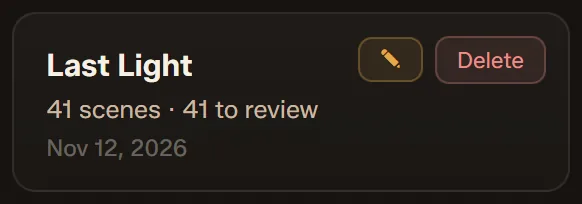
On the My projects screen, the pencil button on a project card changes its name and settings; Delete moves the project to the trash, where you can restore it for 30 days.
Only the project owner can edit or delete a project.
Change the name and settings
-
Click DEKUPA at the top left to go back to My projects.
-
Click the pencil (✎) button at the top right of the project card. The Edit project window opens.
-
Type the new name in Project name. It saves when you leave the field, and the window shows
Project name saved.
The new name is also used in the names of the files you export.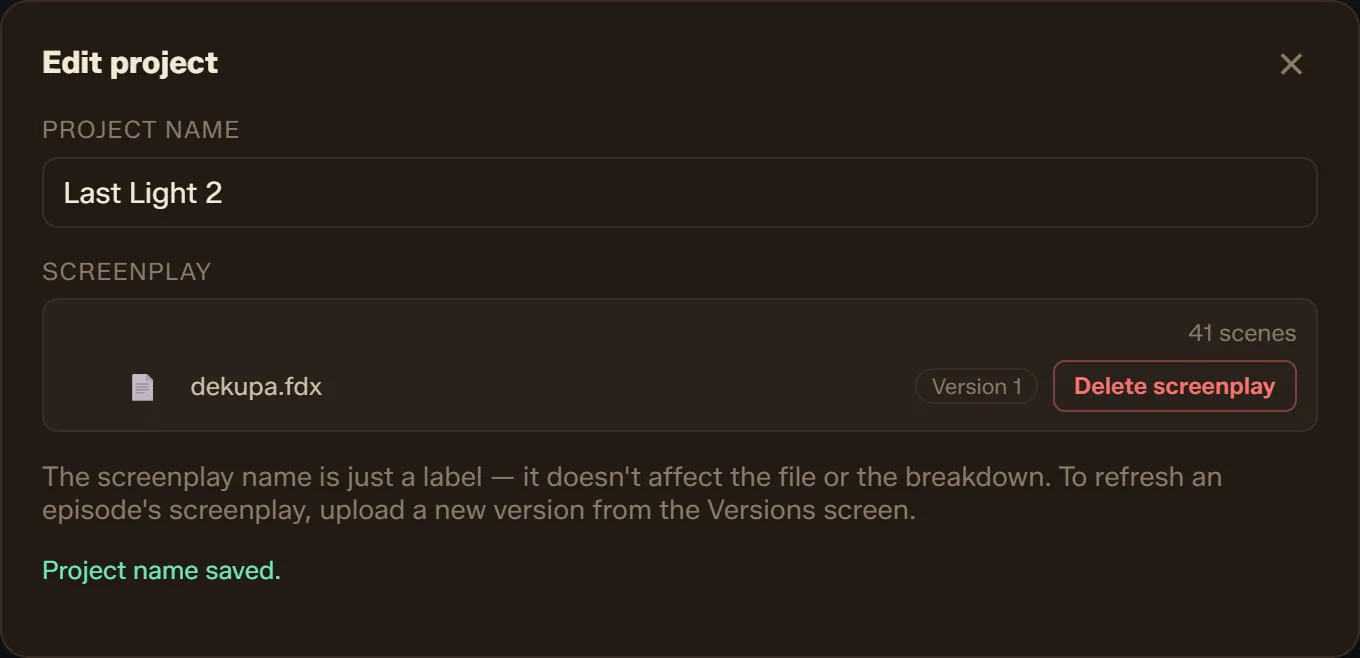
-
For a series, this is also where you add episodes, name them and change their order. + Add episode adds a new one.
-
Close the window with the × at the top right.
The name next to the screenplay is only a label; it doesn’t change the file or the breakdown. To bring in a new draft of the script, open Versions under Script in the top menu.
Delete a project
- On My projects, click Delete at the top right of the project card and confirm.
- The project leaves your list and moves to the trash.
If you do nothing, the project is permanently deleted on its own after 30 days.
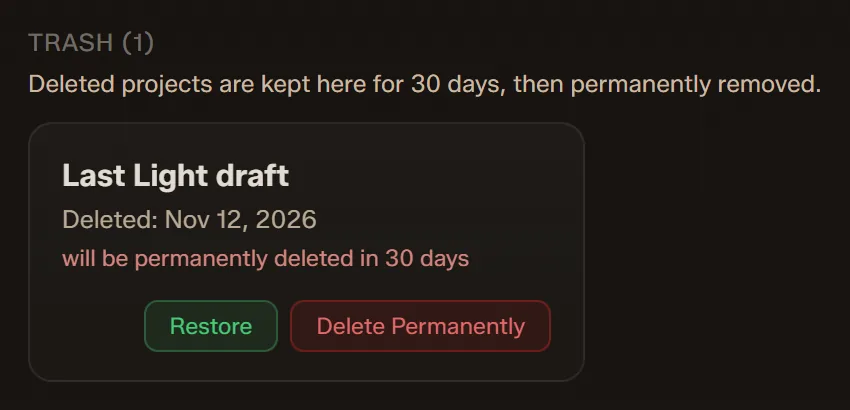
Restore it, or delete it permanently now
-
On My projects, click Trash at the right end of the row with + New project. Each card shows when the project was deleted and how many days are left before it’s permanently removed.
-
To get the project back, click Restore. It returns to your list with all its data.
-
To delete it right away, click Delete Permanently. The screenplay, scenes, breakdown, schedules and files are deleted from our servers, and this can’t be undone.
-
In the window that opens, type the project name exactly. Once it matches, Delete permanently unlocks. Click it.
Delete only the screenplay
In the Edit project window, the Delete screenplay button next to the screenplay permanently deletes every version of it, along with its scenes and tags. This does not go to the trash. The window lists what will be deleted first, and you confirm by typing the name it asks for. The project stays, and you can upload a new screenplay in its place.
If it doesn’t work
- There’s no pencil or delete button on my project card.
- The project has been shared with you, so its card sits under Shared with me. Only the owner can edit or delete it. The Remove button on the card only takes the project off your list; it doesn’t delete it.
- I deleted a project but still can’t create a new one.
- If your plan has a project limit, projects in the trash still count toward it. To free the slot, open Trash and use Delete Permanently.
- A project I deleted isn’t in the trash.
- Projects stay in the trash for 30 days and are then permanently deleted on their own. A permanently deleted project can’t be restored.