
How do I change the interface language?
Click the round account button at the top right and choose Türkçe or English under Language; the screen switches right away.
Steps
-
Click the round account button at the top right. It shows the first letter of your email address.
-
Under Language, click Türkçe or English.
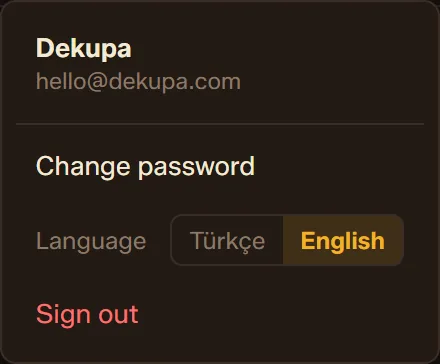
The screen changes right away; there’s no need to reload the page.
What switches language
- Menus, buttons, notices and error messages.
- Headings and column names in the reports you export. The script text inside a report stays as written.
- Password reset, crew invite and credit emails. These arrive in the language saved on your account, which updates when you change the language while signed in or sign in with a language selected.
The script language is separate
The interface language doesn’t touch your script. Dekupa works out the script’s language while reading it and suggests AI tags in that language: How is the script language decided?.
Set the language in the address
Add ?lang=en or ?lang=tr to the end of the address and the app opens in that language and remembers it. For example: app.dekupa.com/?lang=en.
If it doesn’t work
- The app keeps opening in Turkish.
- The app doesn’t read your browser’s language; until you choose one, it opens in Turkish. Your choice is saved in the browser you’re using. On another computer, in another browser or after clearing your browser data, choose the language again.
- I changed the language but the script text stayed the same.
- The interface language only changes the app’s own text. Script text, scene headings and tag names stay as they were written.
- There’s no account button on the sign-in screen.
- On the sign-in, sign-up and password reset screens, click the TR / EN button in the top right corner. The language you pick stays after you sign in.